The week's hours, read while you can act
Scheduled against actual, overtime, absence, tips and labour as a share of sales, for the people allowed to see pay.
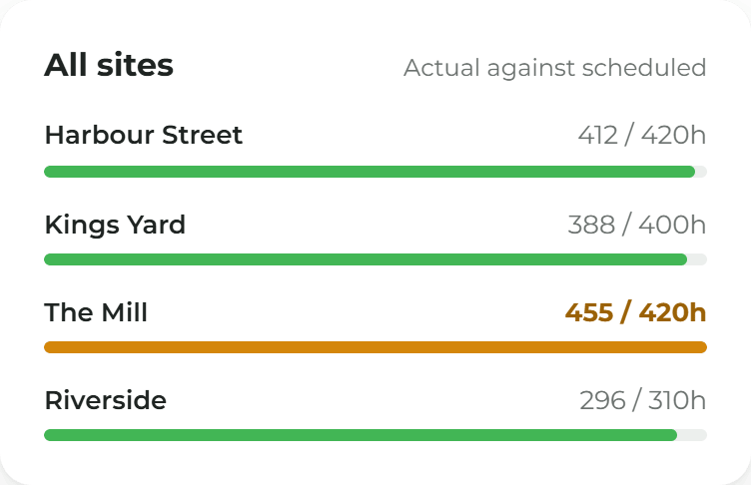
Scheduled against actual, by site
See where the hours ran over the rota and where they did not, site by site.
More from the week's numbers
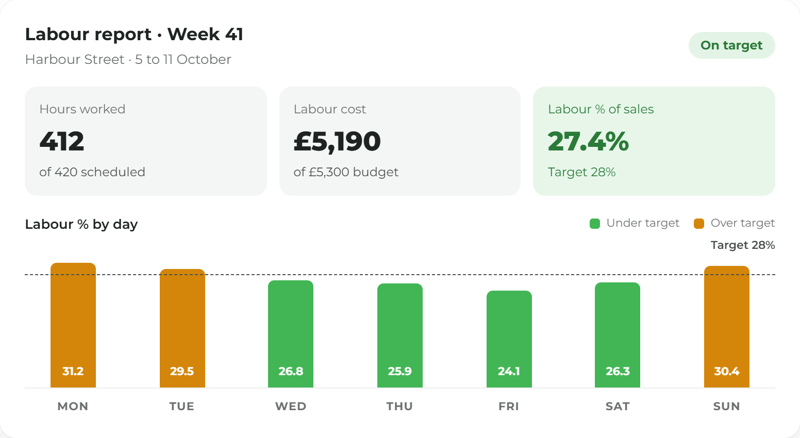
Labour against sales, for the right people
Labour cost and labour as a share of sales come from the hours and the till. Only people allowed to see pay see the figures.
Absence, leave, cover and tips together
Absence, leave balances, cover for people who were off and tips sit beside the hours, not in another system.
A weekly email, if you want one
A weekly or monthly email sends the figures to the people who read them. Home shows a few figures too.
Ask Mira who was in
Where you use Mira, it answers from your own rota, clock-ins and leave, shows the records behind the answer, and respects who can see pay.
Labour reports, made simple.
More ways to use ocapii
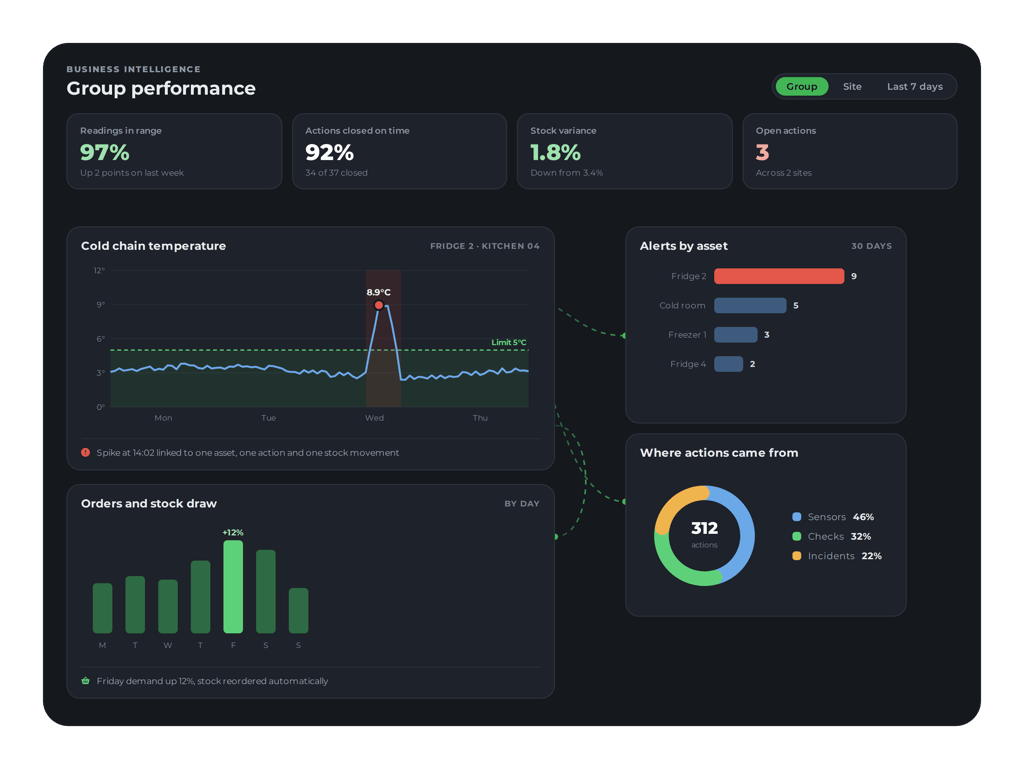
Business Intelligence
Dashboards across every part of the operation.
Find out more →Labour Reports common questions
It shows what the hours worked cost and how they compare with the rota and with sales. In ocapii, reports cover scheduled against actual hours, overtime, absence, leave, tips and cover, and labour cost, including labour as a share of sales, for people allowed to see pay.
Only people allowed to see pay. Everyone else sees hours, attendance and absence without wages.
Labour against sales uses sales taken on the ocapii till. Talk to the team about how your sales are recorded today.
No. There is a staff today screen, a set of reports, a few figures on Home and an optional weekly or monthly email.