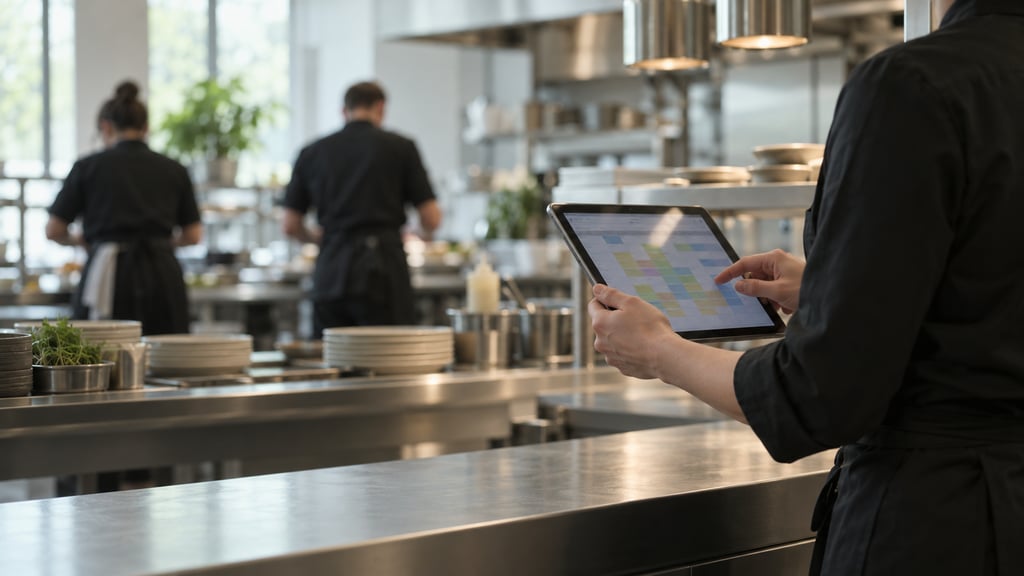
Industry · Healthcare and Care Homes

The checks behind the care, on one record.

A care home runs on small checks across the kitchen, the fridges, the cleaning rounds and the building. ocapii keeps them in one place: medicine fridge readings, infection control rounds, resident meal orders and repairs. By the end of the day, the record has written itself.
Care-readyInfection control + daily evidence
Single + multi-siteHospital, clinic + care group
Mobile-firstBuilt for teams on the floor
ChatGPT Image Sep 11, 2026, 12_21_28 PM Care Home Meals Dashboard 2 Nursing home attention Dashboard Cards Medicine Fridge Untitled design (36)
Safety and Compliance

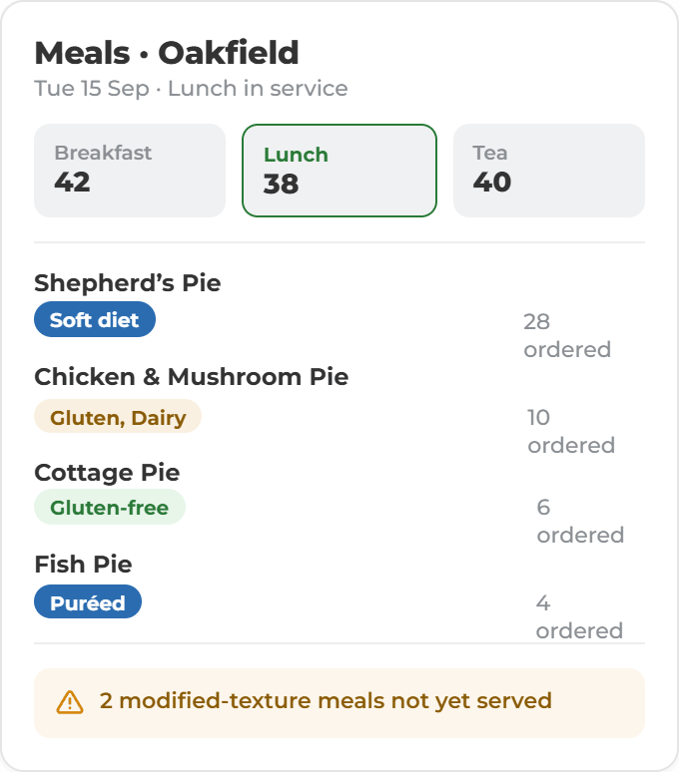
Digital Resident Meal Ordering

Create a personalised digital meal-ordering experience for residents and connects every choice directly to the kitchen, dietary needs, allergen controls and food safety workflows, making service simpler for residents and easier for staff.

Healthcare and care homes

Start with the job in front of you.

Give care teams back the time they spend proving they did the right thing.

A signed chart doesn’t keep a resident safe. In ocapii, a failed check starts the fix. Medication fridge, cleaning, infection control and water checks turn up on your team’s phone or tablet when they’re due. If something’s wrong, an action is raised straight away, with a name, a deadline and the evidence needed to close it. If nobody picks it up, it goes to the home manager. When it’s fixed, it’s closed with the proof attached. The home manager sees it, the group sees it, and your evidence for CQC is ready whenever you need it. Your team spends less time on paperwork and more time with residents.

01Check falls dueMobileNowThe 14:00 fridge check appears on the chef’s dashboard.Jobs, Tasks & Calendar
✓︎Check falls dueMobileDoneThe 14:00 fridge check appears on the chef’s dashboard.Jobs, Tasks & Calendar
02Digital HACCP checklistMobileLockedThe chef records each fridge. A reading over the limit is flagged on the spot.Forms & Checklists
02Digital HACCP checklistMobileNowThe chef records each fridge. A reading over the limit is flagged on the spot.Forms & Checklists
✓︎Digital HACCP checklistMobileDoneThe chef records each fridge. A reading over the limit is flagged on the spot.Forms & Checklists
03Collaborative checkMobileLockedA second person confirms the reading and the stock decision, then signs.Collaborative checks
03Collaborative checkMobileNowA second person confirms the reading and the stock decision, then signs.Collaborative checks
✓︎Collaborative checkMobileDoneA second person confirms the reading and the stock decision, then signs.Collaborative checks
04Corrective actionDesktopLockedThe manager sees the reading and assigns an action with an owner, deadline and evidence.Corrective Actions
04Corrective actionDesktopNowThe manager sees the reading and assigns an action with an owner, deadline and evidence.Corrective Actions
✓︎Corrective actionDesktopDoneThe manager sees the reading and assigns an action with an owner, deadline and evidence.Corrective Actions
05Task for someone elseMobileLockedJ. Cole gets the task on their phone and attaches the photo and new reading.Jobs & Tasks
05Task for someone elseMobileNowJ. Cole gets the task on their phone and attaches the photo and new reading.Jobs & Tasks
✓︎Task for someone elseMobileDoneJ. Cole gets the task on their phone and attaches the photo and new reading.Jobs & Tasks
06Closed and on recordDesktopLockedEvery step is timestamped and signed. Mira can summarise it on request.Audit trail · Mira
06Closed and on recordDesktopClosedEvery step is timestamped and signed. Mira can summarise it on request.Audit trail · Mira
Chef · staff appChef · staff appSous chef · staff appKitchen manager · webJ. Cole · staff appOps manager · web
13:58●●● 100%
≡Dashboard◔︎1
Kitchen 04 · ChefMy Tasks
!1Due now
▦︎4Due today
Fridge Temperatures14:00Checklist1 page
Start check
14:02●●● 100%
‹Fridge Temps
Step 1 of 1
Fridge 13.2°C
Freezer 1-18.4°C
Fridge 2 *
3.6°C
8.4°C
▲︎Above the 5°C limit. Second sign-off required.
SubmitSubmit
14:03●●● 100%
‹Sign-off
Stage 2 of 2 · Sous chef
Stage 1 · Chef14:02Fridge 2 recorded at 8.4°C
What happens to the stock? *
Move to Fridge 1
Discard stock
SignatureA. Patel
Sign offSign off
app.ocapii.com/kitchen-04
Temperature Reading DetailsFridge 2
Reading Information
▲︎Temperature8.4°C
▦︎Date & TimeToday 14:02
✓︎Co-signedStock moved · 14:03
Corrective Action
Assign toJ. Cole – Chef▾︎
PriorityHigh
DueToday 17:00
DescriptionCheck the door seal and re-probe within 2 hours. Photo required.
Cancel
Assign action
14:40●●● 100%
✓︎OCAPIInowJ. Cole, a task is assigned to youCheck the door seal on Fridge 2 and re-probe.
JCJ. ColeChef · Kitchen 04
My TasksLive
Fridge 2 seal checkDue 17:00Assigned to J. Cole by Kitchen manager · 14:03
Photo of sealTap to addAttached ✓︎
Re-probe Fridge 2Tap to probe4.1°C ✓︎
Complete taskComplete task
app.ocapii.com/kitchen-04
Audit trailClosed
14:02Fridge 2 at 8.4°C, above limit✓︎
14:03Co-signed, stock moved✓︎
14:03Action assigned to J. Cole✓︎
14:40Photo of seal attached✓︎
14:41Re-probe 4.1°C, closed✓︎
Ask MiraWhat happened with Fridge 2 today?
MFridge 2 read 8.4°C at 14:02. The stock was moved and co-signed, and J. Cole replaced the door seal. The re-check at 14:41 read 4.1°C and the action is closed.SEE DETAILFridge Temperatures, Today 14:00
Asset management Card - Scan Asset-selection
Assets and Maintenance

Reported on the floor. Fixed and on record.

A fault on a hoist, a bed or a fridge is reported with a photo and reaches maintenance as a job with an owner and a deadline. Planned maintenance, inspections and contractor visits sit on the same record, so you can see what is open, what is overdue and what each asset has cost.

Built for healthcare and care homes

Time back for care, with the evidence to show for it.

Medication fridge monitoring

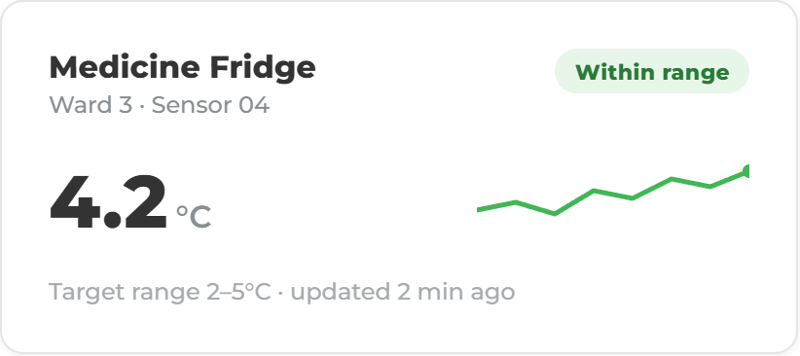
Sensors read medicine and vaccine fridges around the clock, and the right person is told when a reading drifts.

Explore →

Cleaning and infection control

Scheduled cleaning and infection control tasks with an owner, and photo evidence where you ask for it.

Explore →

Incidents and corrective actions

Falls, near misses and failed checks reported from a phone and linked to the action that closes them.

Explore →

Water safety and Legionella

Flushing issued as a task, completed at the outlet and recorded with a time and a name.

Explore →

Resident dining

Resident menus and orders with dietary and allergen information, sent straight to the kitchen.

Explore →

Policies and documents

Policies, SOPs and certificates in one searchable place, with Mira to answer questions about them.

Explore →
Technology suites

More ways to use ocapii

Stock on shelves

Production and Inventory

Control stock, recipe costs, production and labels.

Explore the suite →
Calm kitchen rota review-3

Workforce Management

Manage rotas, attendance, leave and hours.

Explore the suite →
Cold Room Temperature Mointoring

Energy

Sensors watch electricity and temperature around the clock.

Explore the suite →
FAQ

Questions about healthcare and care home operations

No. It supports the operational side of a care home: checks, evidence, monitoring, documents and workflows. It does not replace clinical judgement, electronic care planning systems or professional accountability.

Yes. Checks, incidents, cleaning records, documents and corrective actions sit in one place with a timestamp and a named owner, so evidence is there when it is asked for. It supports readiness. It does not guarantee inspection outcomes.

Yes. Sensors and manual readings feed the same record. When a fridge goes out of range, an alert goes to a named person and the response is recorded next to the reading.

Yes. Cleaning schedules, infection control rounds and enhanced cleaning routines run on a phone, with missed-check alerts and evidence for manager review.

Yes. Residents choose from the menu at the table or the bedside on a tablet, and each order goes to the kitchen board, so the kitchen knows what to make and who it is for.

Yes. Water temperature checks and flushing routines can be scheduled and recorded by outlet, with sensor readings where fitted and a maintenance job raised when something fails.

No. Each technology suite works on its own. Most care homes start with Safety and Compliance, Energy and Environmental Monitoring, Commerce and Service, and Assets and Maintenance, then add others on the same platform later.

Yes. Checks, photos, issue reporting and task updates are built for a phone, so staff can record work where it happens.

Yes. Each home gets simple workflows, and leaders see overdue checks, open alerts, corrective actions and trends across every location.

See a daily check become a record.

Walk through a day in your own kind of home: the fridge readings, the cleaning rounds, the meal orders and the repairs, in one place.