Facilities & Estates

One live operating layer across buildings, assets, contractors and compliance.

Ocapii helps facilities and estates teams replace paper checks, scattered maintenance requests and manual chasing with one intelligent operations platform turning fire checks, water safety, contractors, bookings, service requests, asset inspections and incident evidence into live workflows, clear ownership and audit-ready evidence.

Buildings + assetsOne connected view
Fire, water + contractorEvidence, audit-ready
Single + multi-siteEstate-wide visibility
Mobile-firstWhere the work happens
ocapii.app / estates / live LIVE
Facilities operations
Live estate board
12 buildings · this week
Block B lift door → Maintenance Tenant request routed automatically
9s
Fire checks
58 of 60 · this week
58 / 60 IN PROGRESS
HVAC PPM
Logged · plant room
DONE
Water safety
Outlet 12 · threshold
FLAGGED
Contractor RAMS
4 pending · review needed
REVIEW
Facility booking
Boardroom 3 setup
DUE TODAY
Energy alert
Floor 2 · out-of-hours
FLAGGED
Estate audit pack ready · 12 buildings
1 CLICK
Key solution areas

Built for the work facilities teams actually do.

Ocapii is not just a checklist app, maintenance tracker or compliance folder. It connects people, processes, assets, documents, sensors, bookings, workflows, data and AI insights into one operational control layer so a single check, request, booking or reading can trigger the right downstream action automatically.

Maintenance, defects and asset workflows

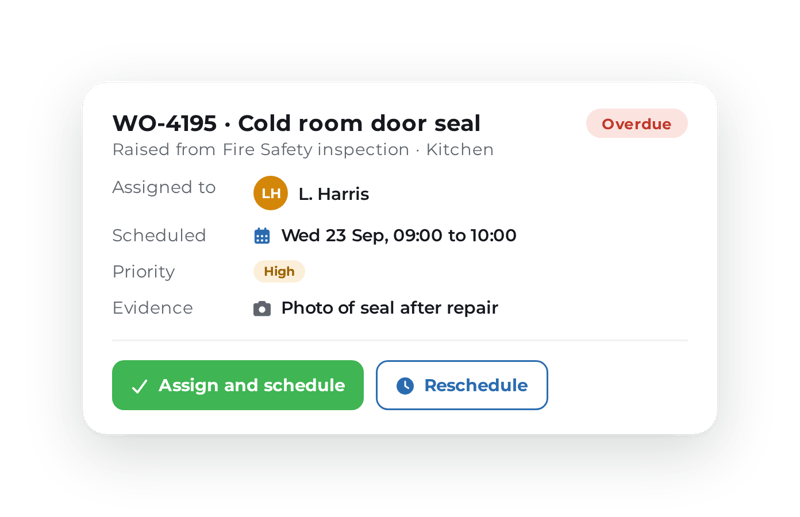
Planned and reactive workflows, asset inspections and equipment checks, mobile evidence capture, photo uploads and comments, contractor assignment, escalation and closure evidence, with asset-level history and trends.

Fire, safety and contractor checks

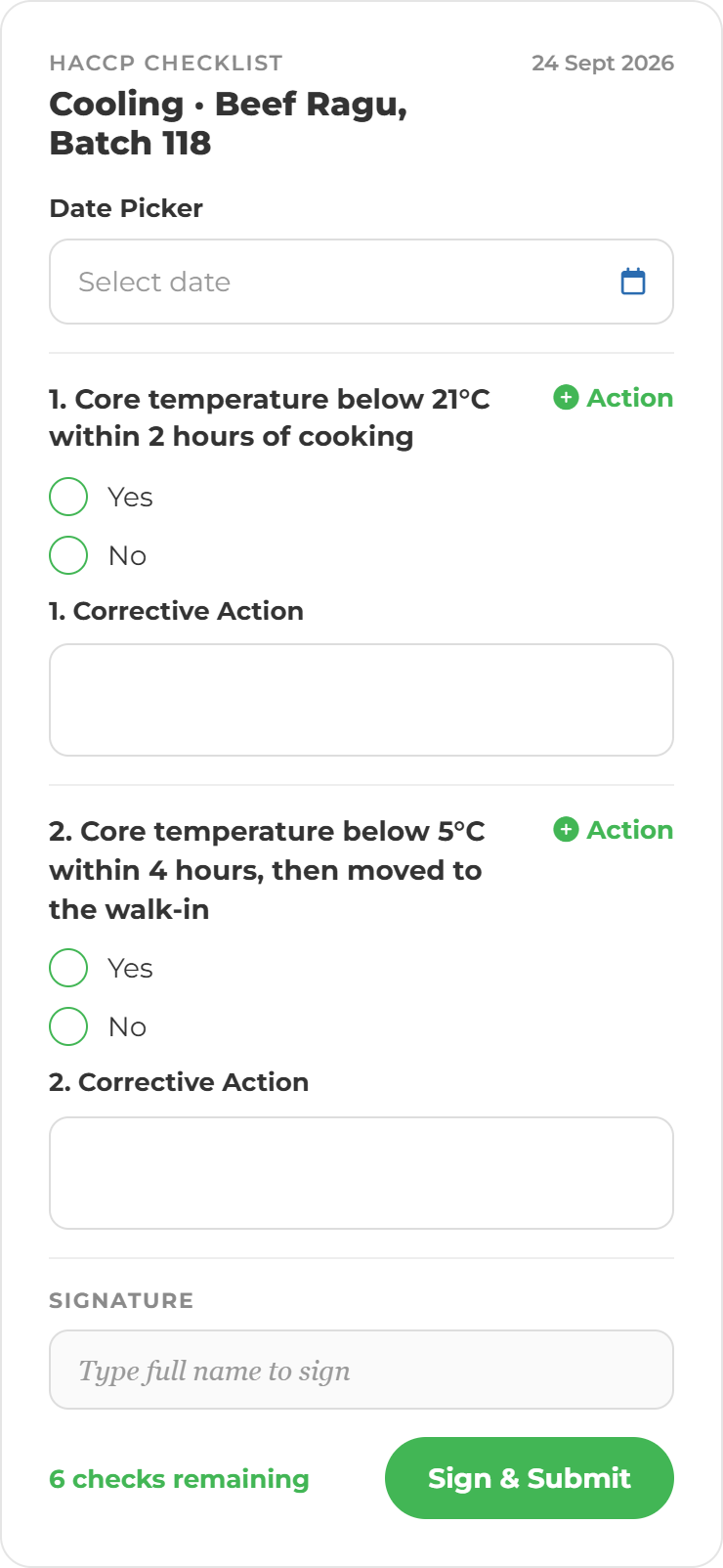
Fire and alarm checks, safety inspections, contractor sign-in and RAMS, permit-style workflows, site access requirements, incident and near-miss reports, corrective actions, audit trails and document sign-off.

Water safety and flushing workflows

Hot and cold water checks, flushing task workflows, outlet-level records, threshold alerts, maintenance triggers, evidence capture, site and estate-level reporting and repeat-issue visibility.

Cleaning, inspections and site standards

Cleaning schedules, public area and washroom checks, room reset workflows, photo evidence, failed-check escalation, repeat-issue tracking and site-standards dashboards.

Room, facility and resource bookings

Meeting room and facility reservations, equipment or resource bookings, cleaning and setup tasks, access and security workflows, pre-use checks, handover sign-off and post-use inspection.

Tenant, user and service requests

Tenant, staff and visitor requests, service-desk routing, priority assignment, location and asset tagging, internal follow-up, closure evidence and trend reporting.

Multi-site visibility

One view across every building.

For estates teams, inconsistency across buildings creates operational blind spots. Site teams get clear workflows. Leaders get live visibility which checks are complete, which buildings have open corrective actions, which contractors need review and which assets or readings are out of range across the estate.

  • Which checks are complete which are overdue
  • Which buildings have open corrective actions
  • Which contractors need document review or sign-off
  • Which assets or readings are out of range
  • Which incidents are unresolved and which sites need attention today
Travel and Tourism Map (3)
Civic House · 96%
Riverside Court · 91%
North Campus · 88%
Harbour Works · 84%
Westgate Hub · 73%
12 buildings reporting
Checks live across the estate
Group view updated
12 of 12 · live
1 water outlet flagged
North Campus · Outlet 12
The problem

Facilities operations are too connected to be managed in fragments.

Paper checks and folders

Fire checks, water logs, cleaning schedules, plant room inspections and contractor records sit in binders, clipboards or shared drives, not in one place teams can act on.

Maintenance and defect blind spots

A reported defect can disappear into an inbox, message thread or spreadsheet. By the time it resurfaces, the issue may have already affected tenants, staff, residents, students or service users.

Contractor and safety evidence

RAMS, permits, access records, induction evidence and completion sign-offs are often managed manually. That makes it harder to prove who did what, when and where.

Disconnected bookings and service requests

Room bookings, facility reservations, site visits and tenant requests rarely trigger the operational work needed before, during and after the event.

Handover-driven incidents

Open defects, missed checks, unresolved incidents and corrective actions can get lost between teams, shifts, sites or contractors.

No live estate view

Facilities leaders often rely on spreadsheets, email updates and manual reports. That makes estate-wide visibility patchy, delayed and hard to trust.

AI & conversational operations

Hear Owlbert AI in action.

Facilities teams are mobile. They move between buildings, plant rooms, corridors, offices, classrooms, accommodation blocks, public areas and contractor zones. Owlbert helps them complete operational work with less screen friction by voice or chat.

  • Defect report
  • Water check
  • Fire check
  • Contractor sign-off
  • Cleaning inspection
  • Asset history
How it works

Speak. Book. Trigger. Act. Prove. Improve.

STEP 01
Speak
Teams complete checks, raise issues and ask questions through simple digital or conversational workflows.
STEP 02
Book
Rooms, facilities, assets, site visits and contractor appointments connect directly to the operational work required.
STEP 03
Trigger
Failed checks, service requests, defects, readings, incidents and bookings trigger tasks, alerts and workflows.
STEP 04
Act
The right person gets the right task, with ownership, deadlines and escalation.
STEP 05
Prove
Ocapii creates timestamped evidence, audit trails, records and reports.
STEP 06
Improve
Dashboards show trends, repeat issues, risk patterns and opportunities to improve.
Bookings & automation

Turn bookings into operational workflows.

A meeting room booking, facility reservation, contractor appointment or site visit should not sit separately from operations. The booking becomes the trigger. Ocapii automates the response and connects every reading, request and incident to the workflow that follows.

  • Facility booking → setup, cleaning & handover
  • Contractor appointment → RAMS, access, permit & sign-off
  • Asset reservation → availability, inspection & return check
  • Service request → assignment, escalation & closure
Operating layer Live activity LIVE
Facility booking → setup & handover
A room or facility booking triggers setup tasks, equipment checks, cleaning schedules and handover sign-off.
Boardroom 3 · just now
Contractor appointment → RAMS & access
A contractor visit triggers document checks, access workflows, permit-style processes and completion evidence.
Plant Room B · 30s ago
Outlet 12 flagged → action
An out-of-range water reading triggers an alert, assigns a corrective action and records the response.
North Campus · 1 min ago
Asset reservation → availability & return
A shared asset booking triggers availability checks, condition checks and return evidence.
Civic House · 2 min ago
Service request → assignment & closure
A tenant, user or staff request triggers the right workflow and sends the issue to the right person or team.
Riverside Court · 2 min ago
Lobby trip hazard → corrective action
A reported hazard is logged, assigned and tracked to closure with timestamped evidence.
Harbour Works · 3 min ago
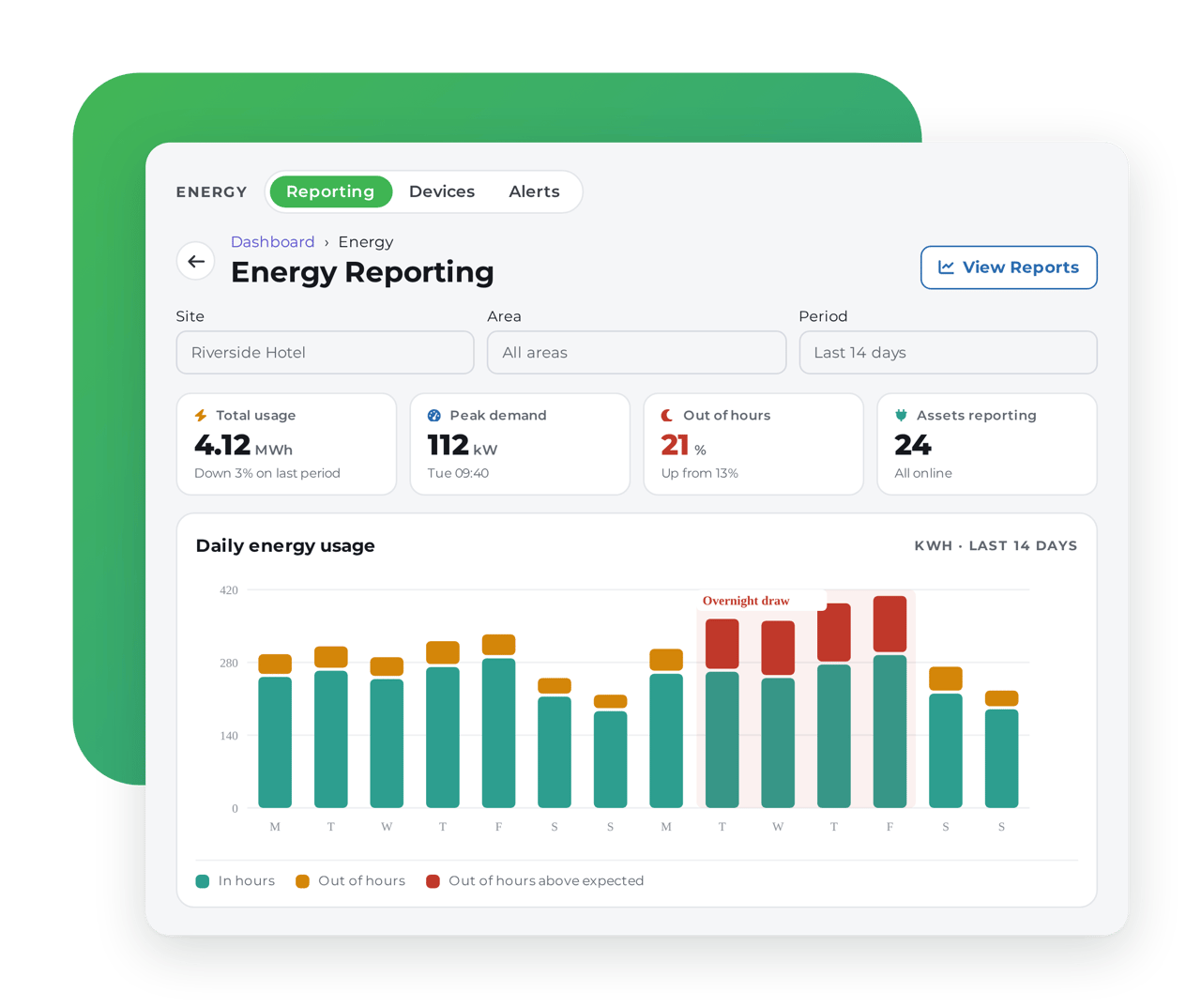
Floor 2 out-of-hours usage → flagged
An out-of-hours energy pattern triggers a review and an action to investigate avoidable waste.
Westgate Hub · 4 min ago
Outcomes

Built around the outcomes facilities teams care about.

Reduce risk

Make missed checks, open incidents, overdue tasks, failed readings and incomplete contractor evidence visible earlier.

Across fire, water, safety, assets & contractors

Save time

Reduce manual chasing, duplicated records and evidence gathering with live workflows.

Less admin, clearer ownership

Cut waste

Use monitoring, maintenance triggers, booking visibility and energy insight to reduce avoidable waste.

Across energy, assets, contractor visits & unused spaces

Protect revenue & continuity

Connect bookings, maintenance, asset readiness and user requests so issues are less likely to sit unseen.

Right task, right team, faster action
Related solutions

The use cases facilities teams reach for first.

Ready to connect your facilities operations?

Ocapii helps facilities and estates teams bring maintenance, fire checks, water safety, contractors, cleaning, bookings, service requests, energy visibility and reporting into one live operating layer across single sites and multi-site estates.

FAQ

Facilities & estates common questions

No. Ocapii supports compliance, but it also connects operational workflows across maintenance, assets, contractors, bookings, cleaning, incidents, documents, sensors and reporting.

Yes. Ocapii supports planned tasks, recurring checks, reactive defect reporting, ownership, escalation, evidence capture and closure tracking.

Yes. Contractor workflows can include document checks, RAMS, permit-style steps, access requirements, completion evidence and sign-off.

Yes. Ocapii can support water temperature checks, flushing workflows, outlet-level records, alerts, corrective actions and reporting.

Yes. A booking can trigger setup, cleaning, equipment checks, access workflows, handover and post-use inspections.

Yes. Ocapii gives teams workflows at site level and leaders visibility across buildings, assets, contractors, overdue checks, incidents and trends.

Yes. Ocapii is designed for mobile operational work, including checks, photos, comments, incident reporting and task completion.