When someone's off, ocapii makes sure their work still gets done.
Rotas, clock-ins and leave sit on the same record as the work. When someone is off, their tasks are flagged or handed to someone who is in.
The rota and the clock agree
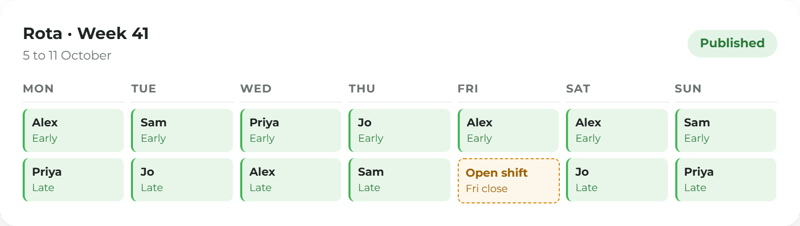
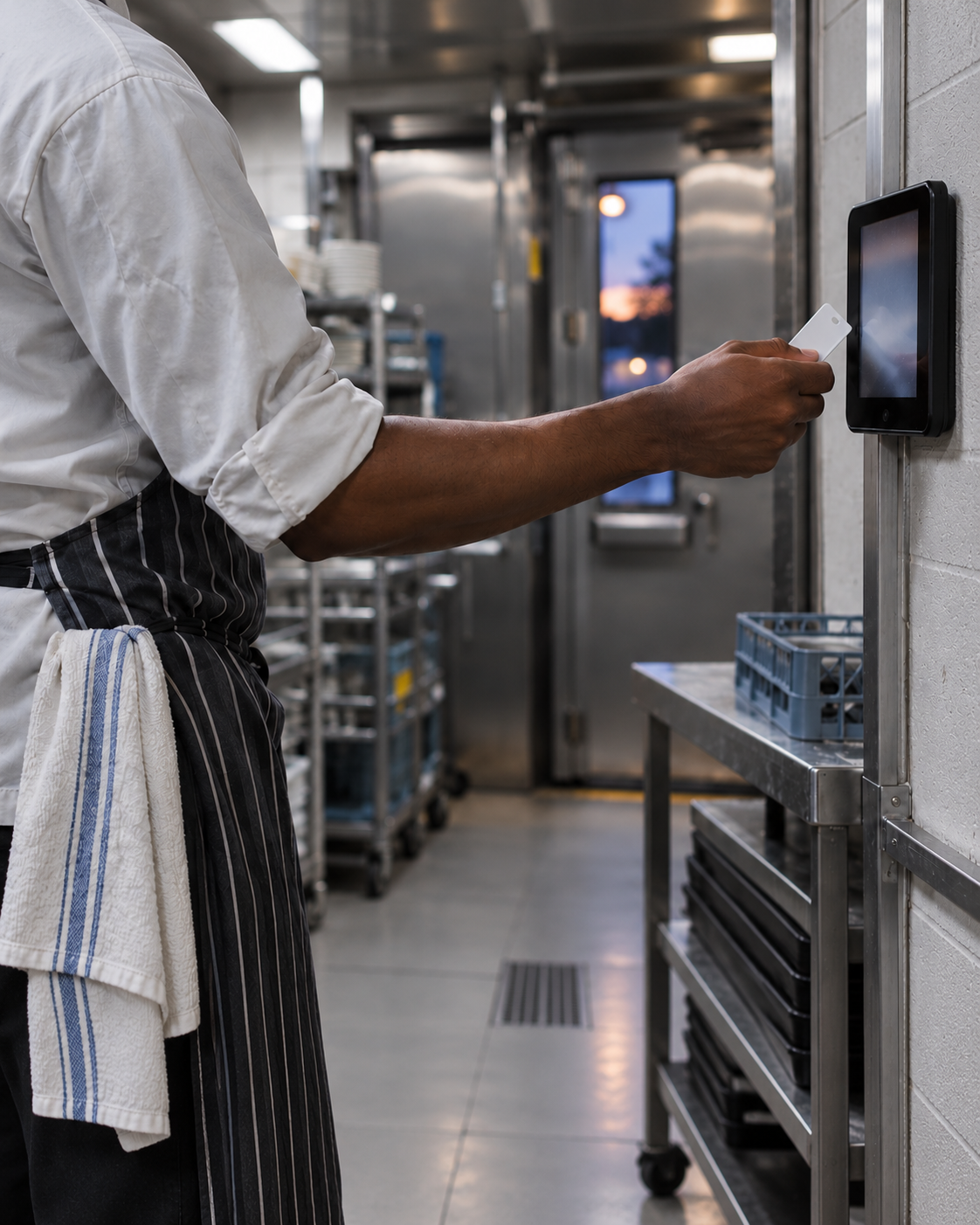
Publish the rota, and staff clock in on their phone or on the tablet by the door. Managers see who is in, who is on a break and who has not clocked out.
Start with the rota, or the team.
Explore rotas, clocking in, leave and cover, all on the same record as the work.
Rota Planning
Clocking In
Timesheets & Payroll Export
Leave & Sickness
Cover When Someone's Off
Tips & the Till
Staff Records & Training
Multi-site Management
Labour Reports
Related capabilities
Off today means today's work goes somewhere
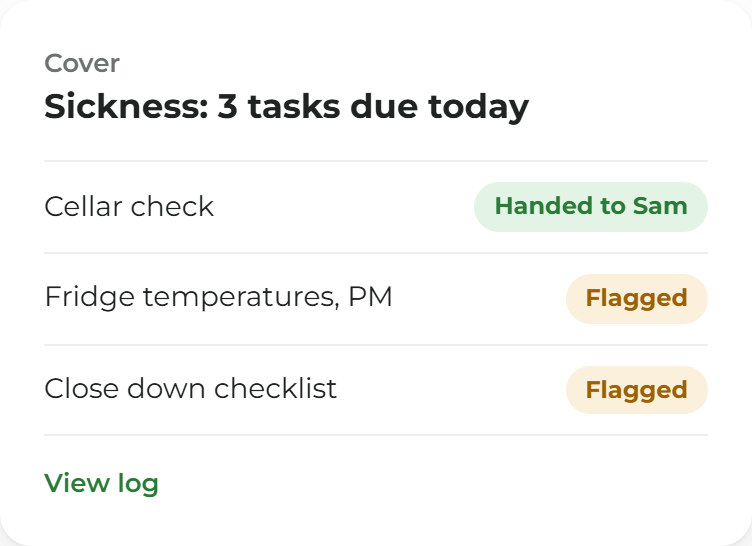
When someone is off sick or on leave, tasks due that day can be flagged for a manager or handed to someone else on the team who is in. The log shows who it was for, why and where it went.
People are connected to the work, so nothing goes undone when someone's off.
An empty shift shouldn't mean empty checks. In ocapii, the rota, the clock and the work sit on one record. When someone's off sick or on leave, the tasks due that day are flagged for a manager or handed to someone who's in. The log shows who it was for, why and where it went. At the end of the week, approved hours go to payroll without anyone typing them again.
Who is working, where, and for how long.
Rota Planning
Build rotas against the hours you need covered and share them with the team on the staff app.
Explore the module →Clocking In
Staff clock in and out on the app or a shared tablet, so attendance is recorded as it happens.
Explore the module →Timesheets & Payroll
Managers approve hours and export them for payroll. ocapii does not run payroll itself.
Explore the module →Leave & Sickness
Requests, approvals and absence recorded in one place and visible when the rota is built.
Explore the module →Labour Reports
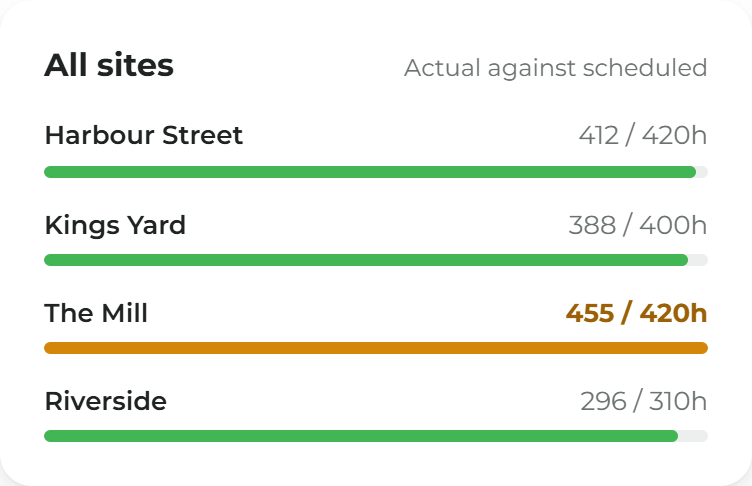
Hours worked set against each site and team, so you can see where the time goes.
Explore the module →Teams and Sites
Staff records, tips and multi-site teams managed from one place.
Explore the module →Hours reach payroll without a retype
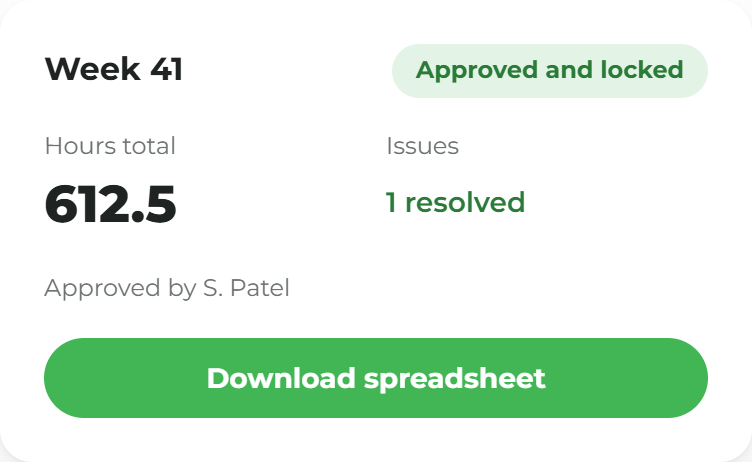
Approve the week, lock it, and download a spreadsheet for the payroll tool you already use. ocapii gives payroll the hours. It does not calculate the pay.
Ask who was in.
Where your organisation uses Mira, it can answer from your own rota, clock-ins and leave records: who was in, who was off, who was late and which shifts are still open. It shows the records behind the answer and says when it does not have one. Mira does not build the rota or approve leave.
More ways to use ocapii
Questions about Workforce Management
Rota planning, clocking in, leave and sickness, cover when someone is off, timesheets and approved-hours exports, tips, staff records, multi-site management and labour reports. Each has its own page if you want the detail.
No. ocapii gives payroll the approved hours as a spreadsheet export. It does not calculate pay, tax or pensions.
Yes. Each ocapii technology suite can be used on its own. Many customers add Safety and Compliance or Finance and Performance later, on the same platform and the same records.
No. Staff clock in on their own phone or on a shared tablet at the site.
Yes. Head office can see rotas, hours and leave across the group and filter to one site. A site manager sees their own.
No platform can do that on its own. ocapii keeps an accurate record of rotas, hours and leave, which supports your own processes and checks.
See cover for a missing shift.
Walk through a rota, an absence and the work that gets handed on, on your own kind of site.
.png?width=1280&name=Pub%20managers%20hands%20before%20opening-14%20(1).png)
.png?width=1280&name=Kitchen%20Porter%20Checks%20In%20at%20Back%20Door-7%20(1).png)
-1.png?width=1280&name=Hands%20holding%20lanyard%20and%20phone-20%20(1)-1.png)
.png?width=1280&name=Care%20manager%E2%80%99s%20hands%20at%20work-13%20(1).png)
.png?width=1280&name=After-hours%20pub%20desk%20and%20tablet-29%20(1).png)

.png?width=1280&name=Hotel%20HR%20hands,%20phone%20and%20diary-15%20(1).png)
.png?width=1280&name=Hotel%20operations%20in%20quiet%20morning%20light-10%20(1).png)
.png?width=1280&name=Finance%20directors%20hands%20with%20tablet-27%20(1).png)
.png?width=1280&name=Restaurant%20manager%E2%80%99s%20hands%20after%20service-21%20(1).png)