Staff & Rotas

Clock in where the shift starts

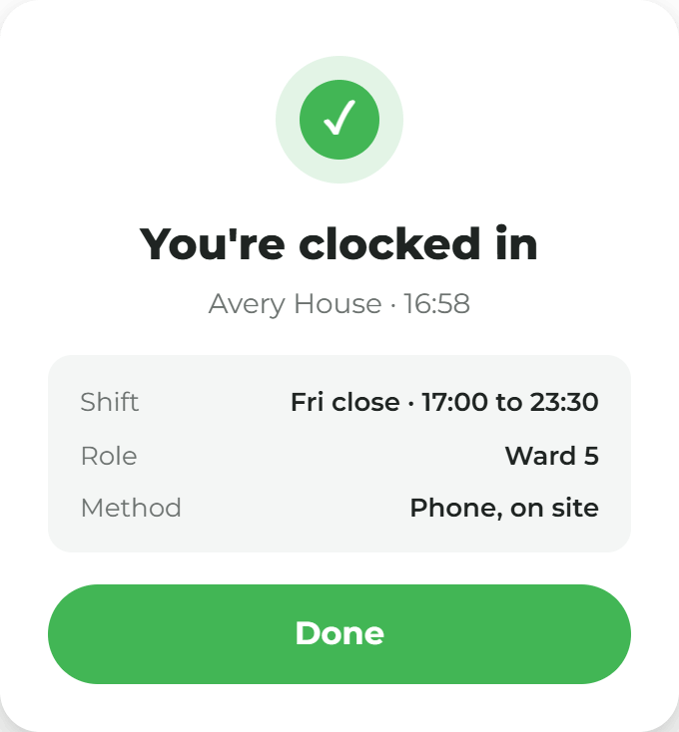
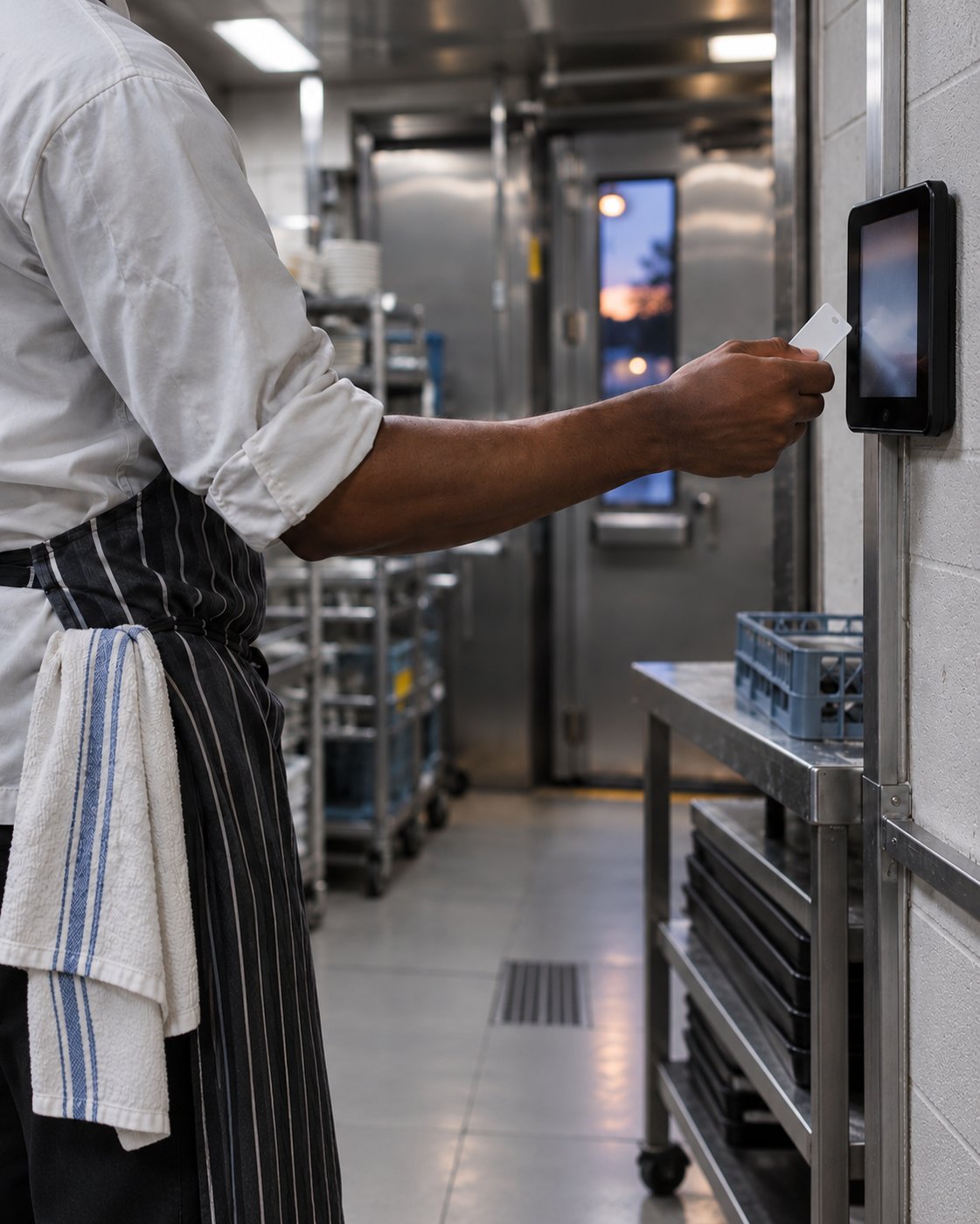
Staff clock in and out on the ocapii app, or on a shared tablet by the door, and breaks sit on the same clock. Managers see it on their platform, where corrections and approvals happen.
Staff tag at wall-mounted kitchen tablet 06-missed-clock-in 07-auto-closed Untitled design (51)

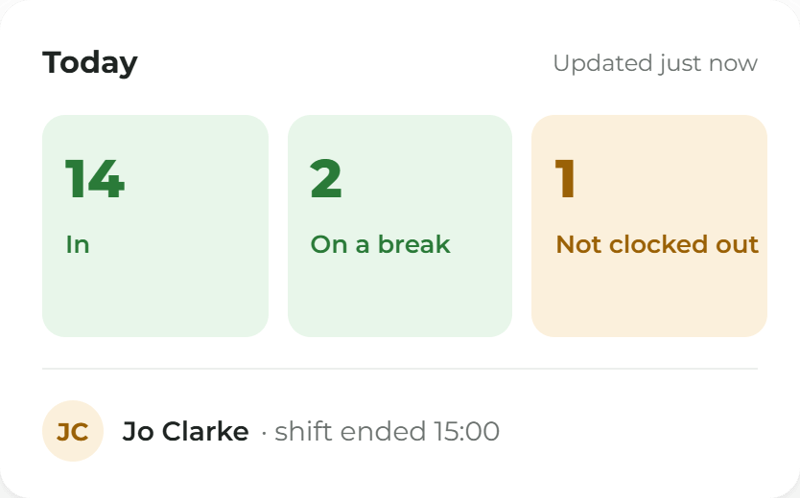
Who is in, on a break or not clocked out

Managers see it live on their platform, where corrections and approvals happen. 
The Last Apron on the Hook 12 - all sites
Caregivers phone tap at care home entrance-8 (1) Scheduling Cards- clocked in-1
What it does

Multiple ways on the phone or tablet

A tap at the clock point by the door, a staff tag, or a QR code.  A registered kiosk takes the person's staff tag or fob, their QR code, or a PIN. 

What it does

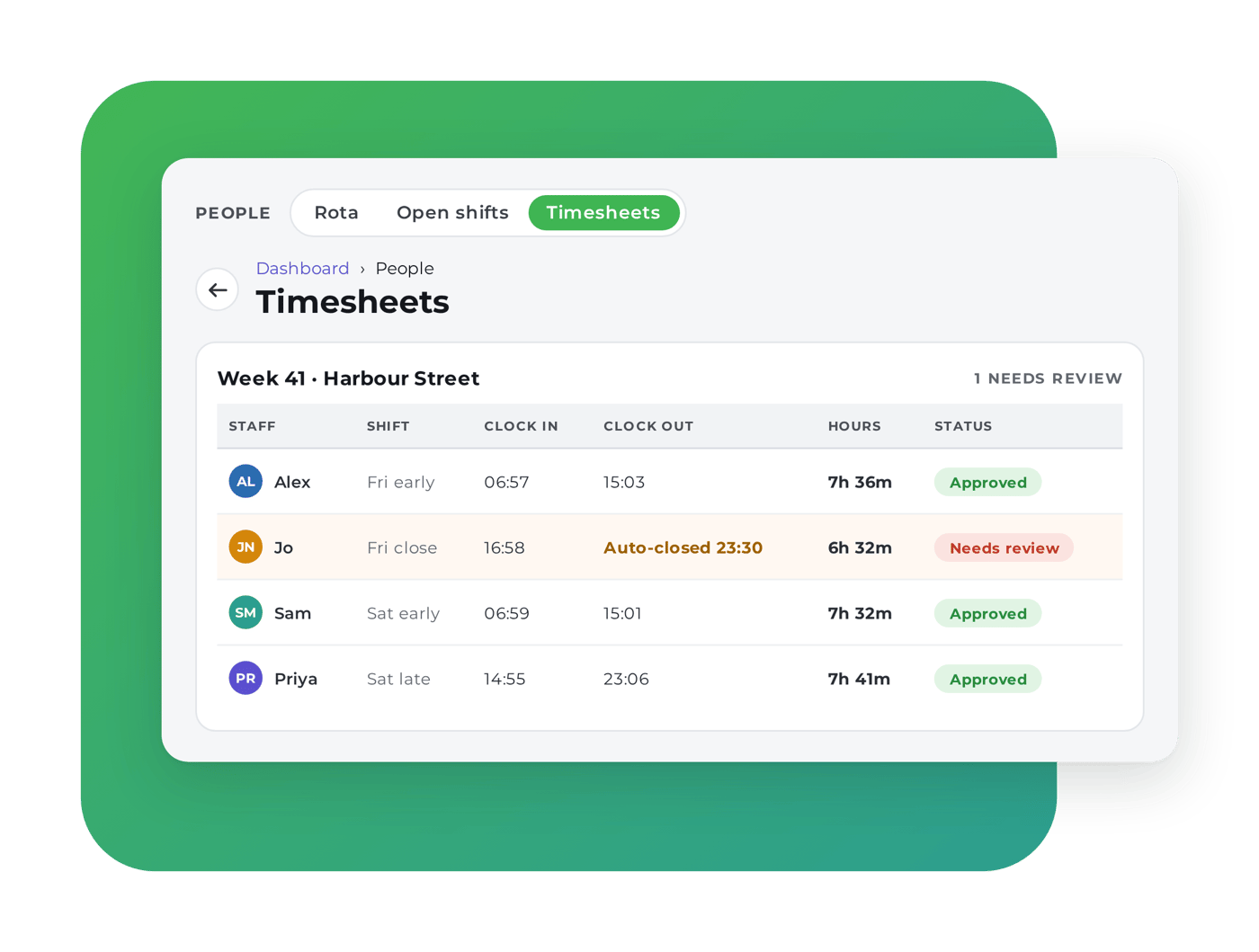
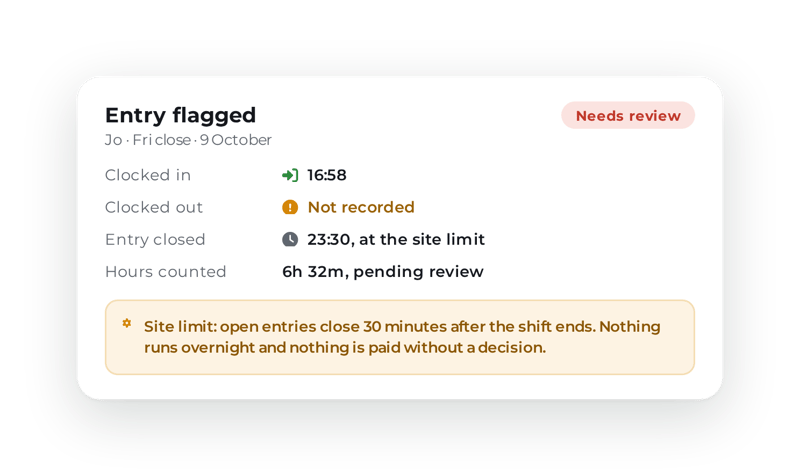
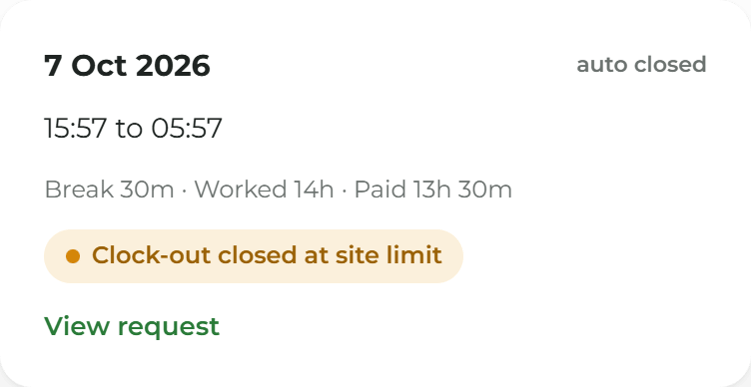
A forgotten clock-out is marked

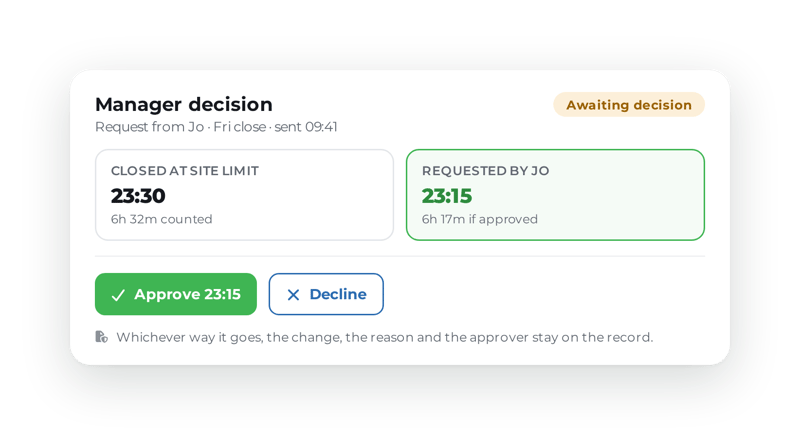
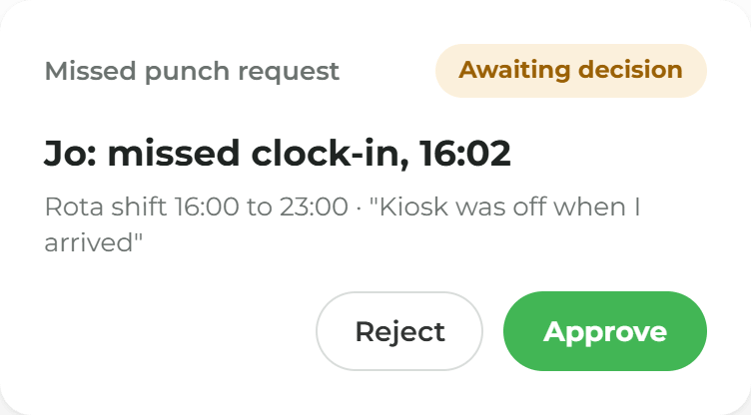
Entries close at a limit the site sets and are flagged on the timesheet. Staff can request a missed clock-in, and a manager decides.

ocapii-timesheet-week ocapii-timesheet-manager-decision ocapii-timesheet-entry-flagged

More ways to use ocapii

Pub managers hands before opening-14 (1)

Rota Planning

Build the week from templates and publish it to the team's phones.

Find out more →
Regional Care Meeting With Laptop-26 (1)

Timesheets & Payroll

Clock-ins become timesheets, then a spreadsheet for payroll.

Find out more →
Pub manager’s late shift__-11 (1)

Tips & the Till

The till can wait until staff have clocked in.

Find out more →
FAQ

Clocking In common questions

A staff clocking in app records when someone starts and finishes a shift. In ocapii, staff clock in on the mobile app with a tap, a staff tag or a QR code, or on a shared kiosk tablet, and the clock-in sits against the published rota.

No. Managers use the website to see who is in and to correct or approve entries. Staff clock in on the mobile app or the kiosk.

Not as a clock-in. Camera assistance is optional, off by default and opt-in for each person. It can suggest a name, and the person still confirms with a staff tag, a QR code or a PIN. The image used for a suggestion is not kept.

No. If you turn the location check on, the phone is checked only at the moment of the tap. There is no background tracking.

Staff use the ocapii app on a phone, and a kiosk is a tablet you register. For staff tags and clock points, confirm your specific setup with the team.