Hours approved. Payroll handed a spreadsheet
Timesheets built from clock-ins, issues marked, periods locked, and a spreadsheet for the payroll tool you already use.

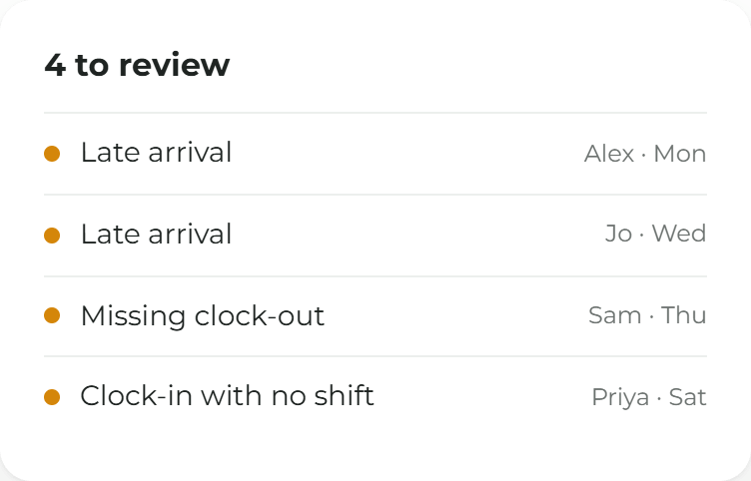
Anything odd is already marked
Late arrivals, early finishes, overtime, a missing clock-out or a clock-in with no shift, flagged before anyone approves.
Everything between the clock and payroll
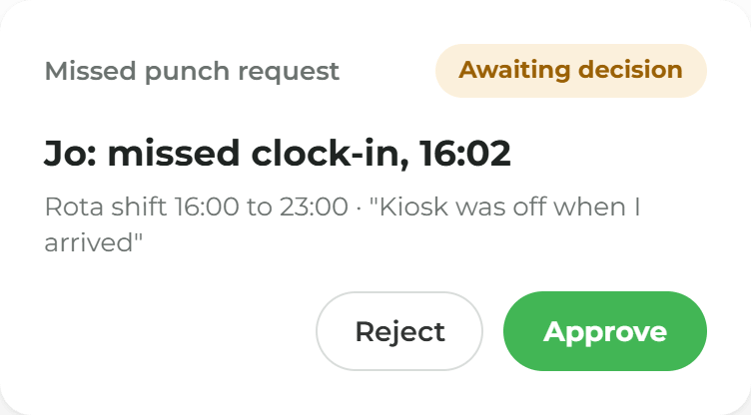
Missed punches decided, not guessed
Staff request a missed clock-in or clock-out, and a manager approves or rejects it before the week is signed off.
Approve it, then lock it
Once a period is approved it can be locked. Later edits need a reason and the right permission.
A spreadsheet, not a pay run
Download hours, overtime and rates (for people allowed to see them), laid out for common payroll tools. Payroll stays where it is.
Approve hours without seeing wages
Pay rates are visible only to people allowed to see pay. A supervisor can approve the hours without seeing what anyone earns.
Timesheets and payroll, made simple.
More ways to use ocapii
Multi-site Management
Head office sees every site's hours. A site manager sees their own.
Find out more →Timesheets & Payroll common questions
It turns recorded hours into timesheets a manager approves, then exports them for payroll. In ocapii, clock-ins become timesheets with issues marked, a manager approves and locks the period, and downloads a spreadsheet for the payroll tool already in use.
No. ocapii does not calculate pay or tax, produce payslips or submit anything to a payroll provider. It gives payroll the approved hours as a spreadsheet.
The export offers a generic spreadsheet and column layouts for common payroll tools. It is not a certified file or a live connection. Confirm your payroll tool with the team during onboarding.
Only people allowed to see pay. Approving hours and seeing wages are separate permissions.